
Teaching Facilities@WU Executive Academy
Arriving at campus
The classes are generally located on campus of the Vienna University of Economics and Business (WU) in the building of WU Executive Academy, if not specified otherwise by the Program Management.
If you are coming to WU Executive Academy, please check out Useful information on and around campus.
The address is:
Vienna University of Economics and Business
WU Executive Academy
Welthandelsplatz 1, Building EA
1020 Vienna, Austria

Further information on where your classes take place (together with directions how to get there) will be provided by the Program Management in time.
Tips:
- Please report to the Front Office Team on the 5th floor of the WU Executive Academy building every morning before class – especially on your first day! This will help the event team to set up everything for you and with you to ensure a smooth course!
- Please be there at least 30 minutes before your teaching starts to arrange for final checks, make last minute changes etc. – to make sure you can start on time.
Our lecture rooms
As standard equipment, you will find a PC, projector, loudspeakers, one flip-chart, 1-2 fixed white-boards and 1 smart-board in the classroom. Both students and lecturers have access to wireless internet on campus.
Tips:
- If you require any other additional presentation equipment not mentioned above, please specify that in your interaction with the Teaching Support Team 2 months ahead of time (see Timeline for your teaching journey). Our experts are happy to provide you with additional tools and set-ups to make your teaching experience the best it can be.
-
The better and earlier you can let the Teaching Support Team know what you need, the better we will be able to support you. Last minute changes are always challenging and risky.
SMART Podium 642
However, this computer can be used in many more ways: an interactive white board, a digital replacement for flip charts, or the interactive presentation of PowerPoint slides make-up the three key features.
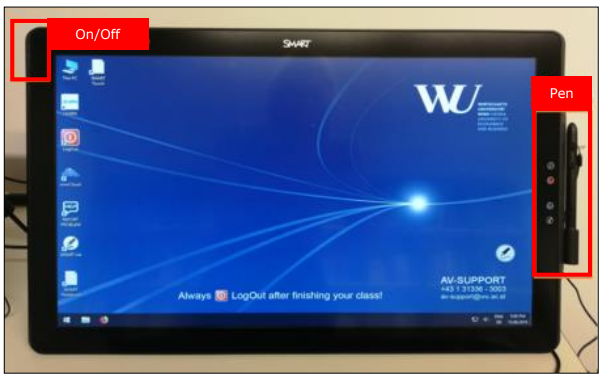
Usage of the SMART Podium
- normal PC monitor use
- touch enabled surface (draw and navigate via the SMART pen/finger)
- feedback or trend indicator in class
- brainstorming
Advantages and disadvantages
- lecture rooms are permanently equipped with the SMART Podium
- notes can be written directly onto the presentation slides (PowerPoint)
- all apps and software can be used
- only usable in class
Implementation
-
The presentation (e.g. PowerPoint) must be saved on the lecturer’s USB stick or downloaded via a web browser (e.g. email client, Dropbox, OwnCloud).
Interactive Whiteboard (SMART Board)
Additionally, to the “SMART Podium”, each 30-seat lecture room includes an interactive whiteboard, which has similar features. Notes made during a presentation can be written on individual slides and saved directly onto the presentation. The Smart board can also be used as a digital flip chart with notes, calculations, charts, etc. on one or more slides, which can be saved and exported as a PDF file.
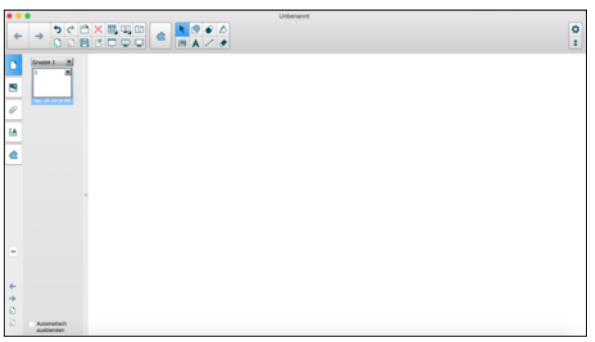
Usage of the Digital Whiteboard
- digital whiteboard
- replacement of the (paper) flip chart
- brainstorming
- calculations
Advantages and disadvantages
- 30-seat lecture rooms are permanently equipped with digital whiteboard
- notes can be written directly onto the presentation slides
- only usable in class
Implementation
- The presentation (e.g. PowerPoint) must be saved on the lecturer’s USB stick or downloaded via a web browser (e.g. e-mail client, Learn@WU, Dropbox).
- To write on the digital whiteboard, you will need special pens, which can be picked up at the Front Office of the WU Executive Academy. The pens are free of charge, but must be returned at the end of the lecture. If you are teaching in the Teaching Centre (building TC), WU IT Services has a pick-up counter for pens and other materials.
Detailed information about the digital whiteboard software can be found here: USER’S GUIDE